

Online Alarm Clock
Set multiple alarms with customizable sounds and snooze function
Set New Alarm
Active Alarms
Quick Alarm Presets
Settings
Multiple Alarms
Set as many alarms as you need with custom labels and sounds.
Snooze Function
Snooze alarms for customizable durations when you need extra time.
Customizable Sounds
Choose from multiple alarm sounds and adjust volume to your preference.
Alarm!
7:00 AM
Rise and Shine with the PDFians Online Alarm Clock
Life moves fast, and keeping track of everything can be a challenge. Whether it’s an important meeting, a daily medication reminder, or simply waking up on time, a reliable alarm is essential. This is where the Online Alarm Clock from PDFians becomes your ultimate time-management companion. Say goodbye to forgotten appointments and oversleeping, and embrace a simpler, more organized routine with our intuitive web-based tool.
What is an Online Alarm Clock and Why Do You Need One?
An online alarm clock is a web-based utility that allows you to set alarms directly from your internet browser. Unlike traditional alarm clocks or smartphone apps, an online version offers incredible convenience and accessibility. You don’t need to install any software or worry about your phone’s battery life. Simply open your browser, navigate to PDFians, and set your desired alarm. Therefore, it’s perfect for anyone who spends a lot of time on their computer or needs a quick, hassle-free way to manage their schedule. Furthermore, it serves as a fantastic backup for your primary alarm or as a dedicated tool for specific tasks.
The Convenience of a Web-Based Alarm
Imagine being at your desk, fully engrossed in work, and needing a reminder in 30 minutes. Instead of fumbling for your phone, you can quickly open a new tab and set an online alarm clock with just a few clicks. Furthermore, this seamless integration with your browsing experience makes it incredibly efficient. You can customize the alarm sound, set a specific time, and even add a personalized message to remind yourself of the task at hand. This level of flexibility is often unparalleled in other alarm solutions.
How to Set Your Perfect Online Alarm with PDFians
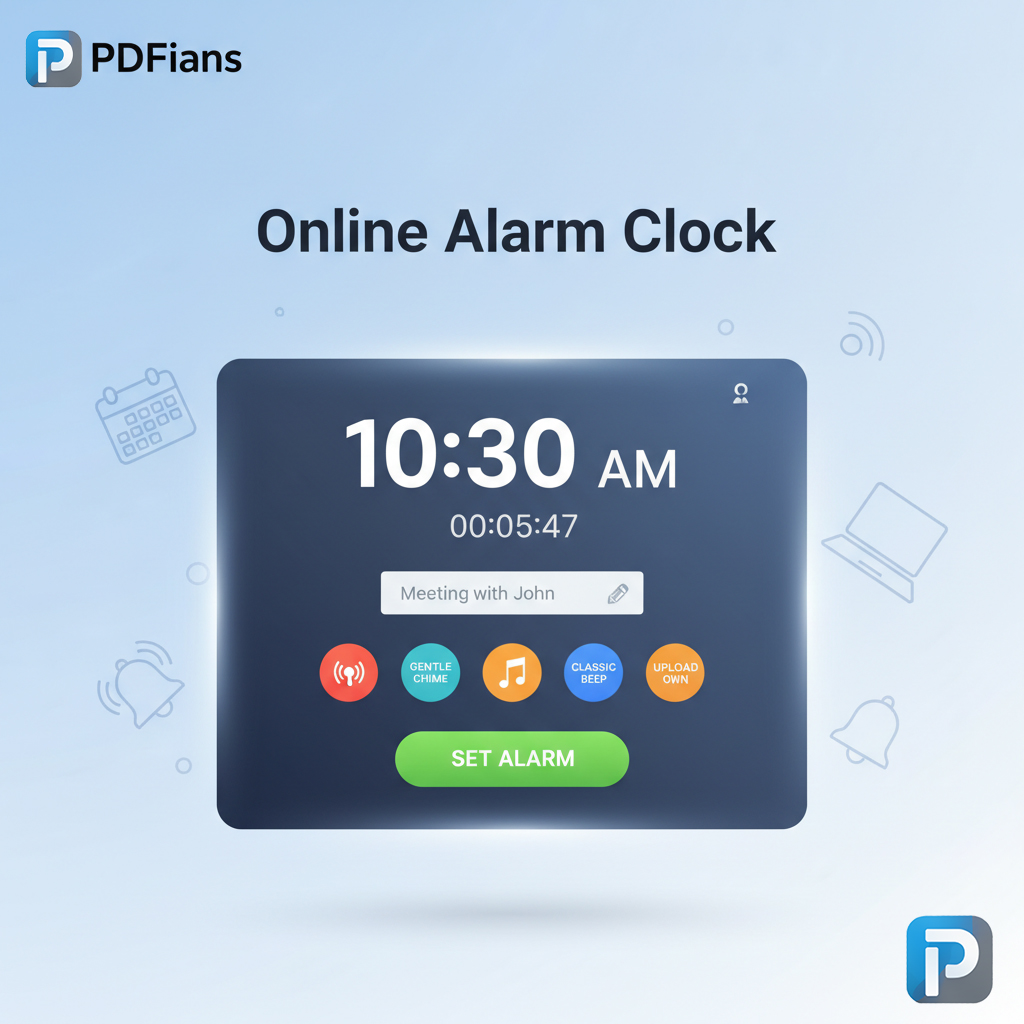
Setting an alarm with the PDFians Online Alarm Clock is incredibly straightforward, designed for maximum user-friendliness. Initially, you’ll find a clear interface displaying the current time. Next, you simply input the desired hour and minute for your alarm. Additionally, you can choose a specific alarm sound from our selection or even upload your own, if available. Finally, hit the “Set Alarm” button, and you’re good to go! A visual countdown will appear, showing you exactly how much time is left until your alarm rings. Consequently, you’ll always be aware of approaching deadlines or reminders.
Customizing Your Alarm Experience
Our online alarm clock isn’t just about basic functionality; it’s about providing a tailored experience. For instance, you might prefer a gentle chime to a blaring siren for your reminders. With PDFians, you have the option to select from various pre-set sounds, ensuring your alarm is always pleasant and effective. Moreover, you can add a custom label to each alarm, reminding you why it’s ringing. This feature is particularly useful for managing multiple tasks or different types of reminders throughout your day. Thus, you gain complete control over how you’re alerted.
Benefits of Using the PDFians Online Alarm Clock
There are numerous advantages to integrating the PDFians Online Alarm Clock into your daily routine. Firstly, it’s completely free, offering premium functionality without any cost. Secondly, it’s accessible from any device with an internet connection, including laptops, desktops, and tablets. Consequently, you’re never without a reliable alarm. Moreover, our tool is designed with a clean, intuitive interface, making it easy for anyone to use, regardless of their technical proficiency. In addition, the ability to customize sounds and messages further enhances its utility, transforming it from a simple alarm into a versatile scheduling assistant.
Staying Punctual and Productive
Punctuality is a cornerstone of productivity. By utilizing an online alarm clock, you can significantly improve your time management skills. Imagine setting alarms for study breaks, work intervals, or even just to remind yourself to stand up and stretch. This small habit can lead to significant improvements in focus and overall well-being. Furthermore, our tool helps reduce the mental load of remembering everything, allowing you to dedicate your cognitive resources to more complex tasks. Therefore, it’s not just an alarm; it’s a productivity booster.
Features That Make Our Online Alarm Clock Stand Out
The PDFians Online Alarm Clock is packed with features designed to enhance your time management. For example, it provides a clear digital display of the current time, ensuring you’re always aware of the exact moment. Also, the customizable alarm sounds allow you to choose an alert that suits your preference, preventing sudden jolts or missed notifications. Furthermore, our tool is incredibly lightweight, meaning it won’t slow down your browser or consume excessive system resources. You can confidently rely on it to function smoothly in the background while you continue with your tasks. We continuously strive to improve our tools, and user feedback is always welcome. Feel free to explore other useful tools like our PDF Merger for efficient document management.
Reliability and Accessibility
One of the core strengths of the PDFians Online Alarm Clock is its unwavering reliability. As long as you have an internet connection, your alarm will function precisely as set. Additionally, its web-based nature means it’s universally accessible. Whether you’re using Windows, macOS, Linux, or Chrome OS, our tool works seamlessly across all platforms. This cross-device compatibility is a significant advantage, especially for individuals who switch between different computers throughout their day. For example, you can set an alarm on your work computer and expect it to function perfectly.
The Versatility of an Online Alarm Clock in Daily Life
The applications of an online alarm clock extend far beyond simply waking up. Consider its utility for students needing reminders for study sessions, online classes, or assignment deadlines. Likewise, professionals can use it to manage meeting schedules, break times, or even to practice the Pomodoro technique for focused work. Homemakers might find it invaluable for managing cooking times, laundry cycles, or children’s activity schedules. Indeed, its adaptability makes it a powerful tool for virtually anyone looking to improve their daily organization and punctuality. For those who frequently work with documents, checking out our PDF to Word converter can also streamline their workflow.
Beyond Basic Reminders: Advanced Uses
An online alarm clock can be a surprisingly sophisticated tool. For example, some users leverage it for timed exercises, ensuring they stick to their workout routines. Others might use it as a meditation timer, guiding them through mindful sessions. Furthermore, gamers can use it to remind them of in-game events or raid timings. The possibilities are truly endless, limited only by your imagination and scheduling needs. Ultimately, it empowers you to be more proactive in managing your time.

Addressing Common Questions About Online Alarms
Many users have questions about how online alarm clock tools function and their limitations. Generally, these tools require your browser tab to remain open for the alarm to sound. However, modern browsers often allow background tabs to function, meaning you don’t always need it in the foreground. Another common query revolves around internet connectivity. Clearly, an online tool needs an internet connection to initially load, but often the alarm itself can function if the connection drops momentarily, provided the page has fully loaded. It’s always best to keep your device’s volume up, of course!
Troubleshooting Your Online Alarm
If your online alarm clock isn’t ringing, several factors could be at play. Firstly, double-check your system volume and ensure it isn’t muted. Secondly, confirm that the browser tab where the alarm is set remains open. Some browsers might prevent alarms from sounding if the tab is closed or suspended. Additionally, make sure you haven’t accidentally set the alarm for AM instead of PM, or vice-versa. Finally, occasionally a browser extension might interfere; try disabling them temporarily if issues persist. For more technical assistance, you can always refer to external resources like Mozilla Support or Google Chrome Help.
Future Enhancements and User Feedback
At PDFians, we are constantly striving to improve our tools, and the Online Alarm Clock is no exception. We highly value user feedback as it helps us identify areas for improvement and implement new, desirable features. Perhaps you’d like to see more alarm sound options, integration with calendar services, or even recurring alarm functionalities. Your suggestions are crucial in shaping the future of our offerings. By listening to our users, we ensure that our tools remain relevant, effective, and truly helpful in your daily life. Thus, don’t hesitate to reach out with your ideas.
The Evolution of Digital Tools
The landscape of digital tools is ever-evolving, and the online alarm clock is a testament to this progress. What started as simple, basic timers has transformed into sophisticated utilities that integrate seamlessly with our digital lives. As technology advances, we anticipate even more intelligent features, such as AI-powered reminders that adapt to your schedule, or voice-activated alarm settings. PDFians is committed to staying at the forefront of these innovations, continually enhancing our tools to meet your evolving needs. Therefore, you can expect continuous improvements and new functionalities from us.
Conclusion: Your Reliable Timekeeper is Here
In summary, the PDFians Online Alarm Clock is more than just a simple timer; it’s a powerful, free, and accessible tool designed to bring order and punctuality to your busy life. With its user-friendly interface, customizable options, and reliable performance, it’s an indispensable asset for students, professionals, and anyone needing a reliable reminder system. Furthermore, its web-based nature ensures you can access it anytime, anywhere, without the need for downloads or installations. Experience the ease and efficiency of managing your time with PDFians today. Start setting your alarms and reclaim control over your schedule!
Frequently Asked Questions (Q&A)
Q1: Do I need to download any software to use the PDFians Online Alarm Clock?
A1: No, absolutely not! Our Online Alarm Clock is entirely web-based. You can access and use it directly from your internet browser without any downloads or installations.
Q2: Will the alarm still ring if my internet connection drops?
A2: For the online alarm clock to initially load and function, an internet connection is required. Once the page is fully loaded, the alarm might still ring if the connection drops momentarily, but consistent connectivity is recommended for optimal performance.
Q3: Can I customize the sound of the alarm?
A3: Yes, you can! The PDFians Online Alarm Clock offers several customizable alarm sounds. You can choose the one that best suits your preference for a pleasant or effective alert.
Q4: Does the browser tab need to stay open for the alarm to work?
A4: Yes, for the online alarm clock to sound, the browser tab where the alarm is set generally needs to remain open. Some browsers may allow background tabs to function, but it’s best to keep it open.
Q5: Is the PDFians Online Alarm Clock free to use?
A5: Yes, our Online Alarm Clock is completely free to use. Enjoy all its features without any cost!
Q6: Can I set multiple alarms at once?
A6: Currently, the PDFians Online Alarm Clock is designed for setting one alarm at a time on a single page instance. For multiple alarms, you would need to open separate browser tabs.
Q7: What if my computer goes to sleep? Will the alarm still work?
A7: No, if your computer goes to sleep or hibernates, the online alarm clock will not be able to function as it requires the system to be active to process the alarm and sound the notification.
Q8: Can I use this online alarm clock on my mobile phone or tablet?
A8: Yes, our Online Alarm Clock is designed to be responsive and accessible across various devices, including mobile phones and tablets, as long as you have an internet browser and an active connection.